
搜索




登录

分享

复制
2026-03-04 11:08:27
Daraz类目ID清单怎么获取?
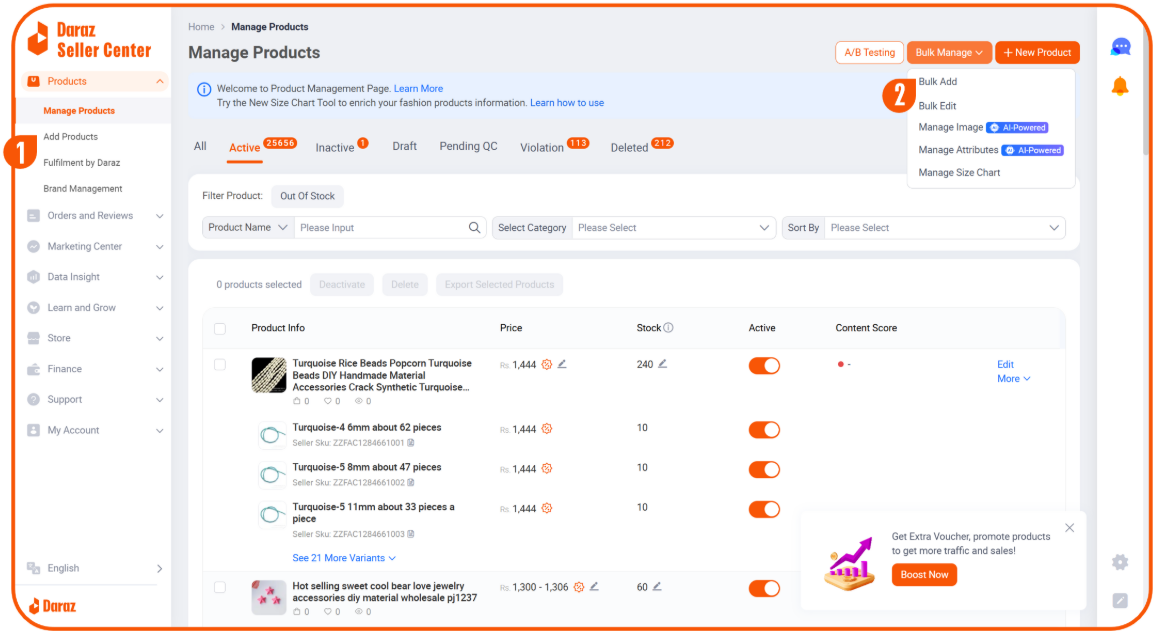
1 ► 登录各站点Seller Center卖家中心(2024.6新版),点击Manage Products下拉菜单中点击Add Products,
2 ► 跳转页面中,点击 Bulk Manage ,下拉菜单中点击 Bulk Add,
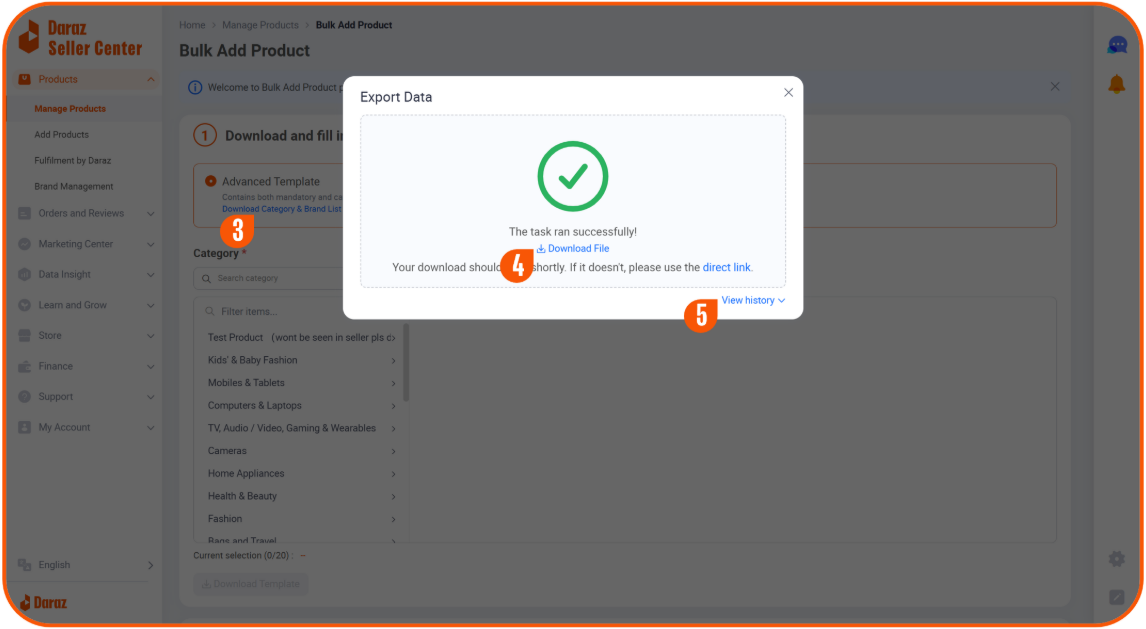
3 ► 跳转页面中点击Download Category & Brand List 弹出下载窗口,
4 ► 下载完成,点击 Download File 下载文件。
5 ► 点击 View history 查看并下载历史导出文件。
【版权提示】信息来自于互联网,不代表出海网官方立场,内容仅供网友参考学习。如发现本站内容存在版权问题,烦请提供版权疑问、身份证明、版权证明、联系方式等发邮件至 jechynwu@chwang.com ,我们将及时沟通与处理。如若转载请联系原出处




企业跨境出海综合服务平台



新手指南
热门推荐
平台常见问题
版权归出海网跨境电商(广州)有限公司所有 粤ICP备2021037671号-5